
PeaZip Download Free – Open Source File Archiver 2025.
Most file archivers lock you into their ecosystem. Proprietary formats, closed-source code, restrictive licensing – the whole industry runs on limitations. PeaZip breaks that cycle completely. This open-source file archiver supports 200+ archive formats while respecting your freedom to use, modify, and share the software. Extract RAR files, compress to 7Z, handle TAR archives, work with ZIP containers – one free compression tool does it all. Whether you’re on Windows, Linux, or macOS, the same powerful archive manager runs natively without platform compromises. Security goes deeper than basic password protection. Two-factor authentication via keyfiles, encrypted password manager, secure file deletion – features commercial archivers charge for, PeaZip includes free. Download once, own forever, modify if needed. That’s the open-source advantage.
PeaZip: Beyond Basic File Compression
File archiving shouldn’t lock you into proprietary ecosystems. Too many compression tools force you down narrow paths – specific formats, limited security options, or restrictive licensing. PeaZip breaks that mold entirely, offering an open-source solution that competes head-to-head with commercial alternatives while respecting your freedom to use, modify, and share the software.
Built on proven open technologies from projects like 7-Zip, Zstandard, and Brotli, this archiver combines the best compression engines into one cohesive package. You’re not betting on a single algorithm or format – you get access to over 200 archive types, from mainstream ZIP and RAR to specialized formats like ZPAQ and ARC. Whether you’re extracting a colleague’s TAR.GZ file or creating encrypted backups, the tool handles it seamlessly.
The interface strikes a balance between power and accessibility. Newcomers appreciate the clean design and sensible defaults. Advanced users dive into granular compression settings, scripting capabilities, and security features like two-factor authentication. Unlike tools that cater exclusively to one audience or the other, this archiver grows with your expertise. Start simple, get sophisticated when you need it.
Cross-platform support means consistent functionality whether you’re on Windows, Linux, or macOS. The same full-featured GUI runs natively across operating systems, eliminating the frustration of platform-specific limitations. Your compression workflows transfer smoothly between systems without relearning different interfaces or losing access to key features.
PeaZip Comprehensive Format Support (200+ Archives)
Supporting 200+ archive formats sounds impressive until you realize most users interact with maybe five. Here’s what actually matters: this tool opens everything commonly encountered in professional environments. ZIP files from Windows users? Check. TAR.GZ archives from Linux developers? Handled. RAR5 downloads from the internet? No problem. DMG disk images from Mac colleagues? Supported.
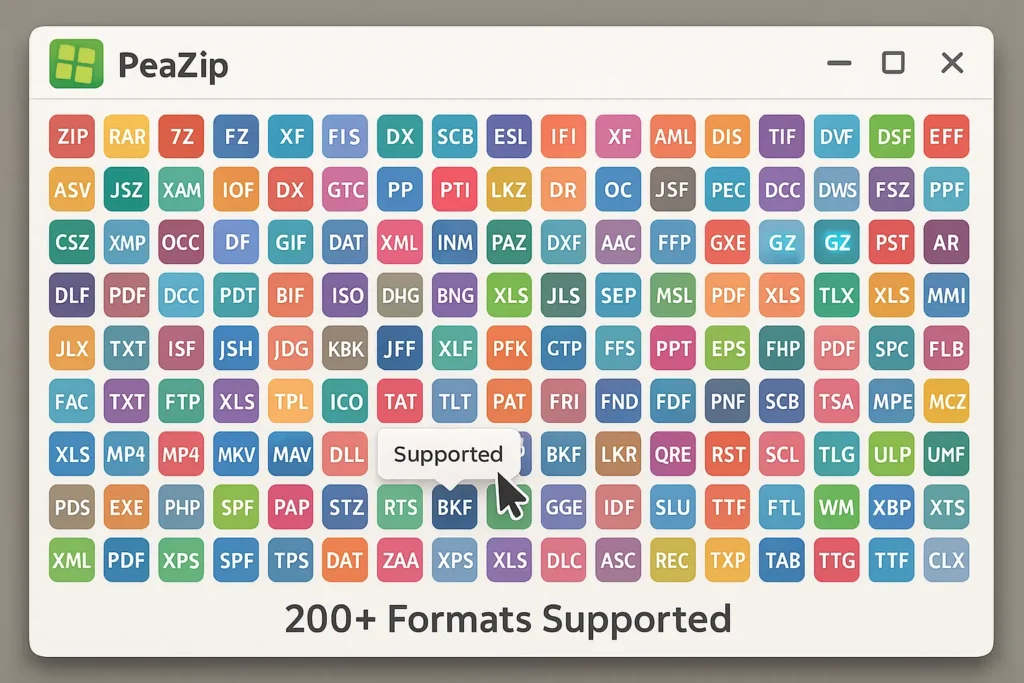
The archiver doesn’t just extract – it can create archives in major formats too. Build 7Z files for maximum compression, standard ZIP for universal compatibility, or TAR for Unix systems. The format selection automatically adjusts available compression algorithms and encryption options based on what each format supports. You won’t accidentally try applying features that don’t exist for a particular archive type.
Rare format support proves invaluable when dealing with legacy files. Extracting old ACE or ARJ archives that other modern tools have abandoned? Done. Opening specialized containers like ISO disk images or CAB installation packages? Built right in. That ancient LZH file someone sent you? No need to hunt down obscure utilities – this tool handles it directly.
Format conversion streamlines workflows beautifully. Extract from one format and recompress to another in a single operation. Converting a collection of RAR files to ZIP for better compatibility becomes trivial instead of tedious. The software intelligently handles metadata preservation during conversion, maintaining timestamps and file attributes where possible.
Format Support Breakdown
PeaZip Security Features Beyond Basic Encryption
Two-factor authentication for archives sounds like overkill until you’re protecting genuinely sensitive data. This tool implements 2FA through keyfiles – physical files that act as second authentication factors alongside your password. Even if someone obtains your password, they can’t decrypt the archive without the correct keyfile. Think of it as requiring both a key and a combination to open a safe.
The built-in encrypted password manager solves the “where do I write this down” problem for archive passwords. Store complex passwords securely within the application, protected by a master password. When you need to extract an archive, retrieve the stored password without fumbling through password managers or sticky notes. The manager encrypts its database with the same robust algorithms protecting your archives.
Secure file deletion goes beyond standard file removal. When you delete files through this tool, it overwrites the data multiple times before removing directory entries. This prevents recovery tools from resurrecting supposedly deleted information. Essential when removing sensitive documents from shared drives or preparing hardware for disposal.
Multiple encryption algorithms give you choices based on threat models and performance needs. AES-256 provides NSA-grade security for most purposes. Twofish offers an alternative for those preferring non-NIST algorithms. Serpent delivers extreme security for paranoid use cases. The software doesn’t lock you into single approaches – pick encryption methods matching your specific requirements.
Hash verification ensures archive integrity through SHA-256 checksums. Before extracting critical backups, verify the archive hasn’t been corrupted or tampered with. The tool generates and checks hash values automatically, flagging any discrepancies before you discover problems the hard way. Think of it as a seal you can verify hasn’t been broken.
Security Comparison Matrix
PeaZip Compression Performance
Compression speed varies dramatically based on chosen algorithms and settings. Zstandard compression, developed by Facebook, delivers incredible speed while maintaining decent compression ratios – perfect for frequent archiving tasks where you can’t wait ten minutes for completion. LZMA2 takes longer but squeezes files smaller for long-term storage where extraction frequency is low.
The application exposes granular performance controls. Adjust dictionary sizes from tiny (fast, less compression) to enormous (slow, maximum compression). Balance CPU usage with throughput based on whether you’re archiving in the background or need immediate results. Preset profiles simplify choices while advanced users tweak individual parameters.
Multi-core utilization makes modern processors earn their keep. Eight-core systems compress substantially faster than quad-cores when using algorithms that parallelize well. The software automatically detects available cores and scales workload accordingly. Your expensive CPU finally justifies its price during compression tasks.
Compression Speed Comparison (1GB Test Files)
Why Choose PeaZip Over Alternatives
Comprehensive comparison with popular archiving solutions
vs 7-Zip
Both tools are free, open-source, and powerful. The difference lies in philosophy and extras. 7-Zip focuses narrowly on compression excellence with minimal interface overhead. PeaZip adds security features like two-factor authentication, a password manager, and secure deletion that 7-Zip omits.
vs Bandizip
Bandizip offers a polished, fast archiver with excellent Windows integration. It’s also free (with paid upgrades), but closed-source. Performance-wise, both programs compress quickly using efficient algorithms. However, PeaZip’s open-source nature means auditable security and community-driven development.
vs WinRAR
The commercial stalwart costs $29 for a license. In exchange, you get RAR format creation and recovery records. For extraction, both handle RAR files perfectly. The real question: do you need to create RAR archives? If not, paying for WinRAR makes little sense when free alternatives match its extraction capabilities.
The archiver wins when you value:
- Open-source transparency over proprietary black boxes
- Advanced security features beyond basic encryption
- Cross-platform consistency across Windows, Linux, and Mac
- Freedom to modify and extend the software yourself
Alternatives win when you prefer:
- Absolute simplest interface (7-Zip)
- Fastest possible compression (Bandizip)
- RAR creation capability (WinRAR)
- Official corporate support contracts
PeaZip Pros & Cons: The Honest Assessment
What PeaZip Does Exceptionally Well
Comprehensive Format Support: Over 200 formats means virtually any archive you encounter opens without hunting for specialized tools. From common ZIP files to obscure legacy formats, extraction just works. The breadth of compatibility saves tremendous time and frustration.
Advanced Security Features: Two-factor authentication via keyfiles, encrypted password manager, and secure file deletion go beyond what most competitors offer. If you’re protecting sensitive business documents or personal information, these features provide meaningful security improvements over basic password protection.
True Cross-Platform Consistency: The same full-featured application runs natively on Windows, Linux, and macOS. No compromised ports or limited command-line versions – you get the complete GUI with all features regardless of operating system. Workflows transfer seamlessly between platforms.
Open-Source Transparency: Auditable source code means security researchers worldwide examine the software for vulnerabilities. You’re not trusting opaque proprietary implementations – the entire codebase sits open for inspection. This transparency builds justified confidence in security claims.
Free Without Restrictions: Zero cost for personal and commercial use, no trials, no upgrade nags, no feature limitations. The software you download is the complete program, forever free. Open-source licensing ensures this freedom continues indefinitely.
Where PeaZip Falls Short
Steeper Learning Curve: The abundance of features and options can overwhelm newcomers. While the interface is cleaner than some alternatives, the sheer capability count means more menus, settings, and choices to navigate. Casual users might feel lost initially.
Occasional Format Quirks: With 200+ formats supported, edge cases exist where extraction doesn’t handle metadata perfectly. Timestamps might not preserve correctly, or extended attributes could be lost. Major formats work flawlessly; obscure formats sometimes surprise you with limitations.
Resource Usage on Weak Systems: On budget hardware or older computers, the application can feel sluggish with large archives. Modern multi-core systems run it smoothly, but low-spec netbooks or older laptops might struggle during intensive compression tasks.
Limited RAR Creation: Like most non-WinRAR tools, you can extract RAR archives but cannot create them (RAR format is proprietary). If your workflow specifically requires creating RAR files, you’ll need WinRAR itself or alternative solutions.
Community Support Only: No official corporate support contracts exist. You rely on community forums, documentation, and GitHub issues for help. For businesses requiring guaranteed support SLAs, this lack might be deal-breaking despite the software’s capabilities.
How to Download and Install PeaZip
Download the installer matching your operating system – Windows, Linux, or macOS builds are all available. The Windows version weighs roughly 10-15MB depending on the package variant. Portable versions exist too, running directly from USB drives without installation.
Installation follows standard patterns for each platform. Windows users get a conventional installer with association options. Linux users can grab packages for major distributions or compile from source. Mac users download DMG images or use Homebrew for command-line installation.
First launch presents a clean file manager interface. The dual-pane layout mimics traditional file managers, with archive contents on one side and your file system on the other. Drag files between panes to compress or extract – the interaction feels natural if you’ve used any file manager before.
Configure file associations through the settings menu. Tell the system which archive types should open with this software by default. Most users enable associations for everything, letting the archiver handle all compressed files automatically.
Explore the themes and customization options. The software supports multiple interface themes, icon sets, and layout configurations. Adjust the appearance to match your preferences or increase accessibility for specific needs.
The Open-Source Advantage
Open-source software comes with unique benefits beyond just being free. The complete source code sits publicly accessible on GitHub, meaning anyone can audit the security implementations, verify encryption works correctly, and check for vulnerabilities. With proprietary tools, you trust vendor claims; with open-source tools, you verify or rely on community audits.
Community-driven development means features emerge from actual user needs rather than marketing department brainstorming. When users request specific capabilities, motivated developers implement them. No corporate gatekeepers decide what’s “allowed” based on product positioning or upgrade paths.
License freedom ensures the software remains available forever. No company can arbitrarily discontinue support or force migration to subscription models. The GNU LGPL license guarantees perpetual availability and modification rights. Future-proofing your workflows becomes simpler when software can’t disappear due to business decisions.
Contributing improvements becomes possible if you possess programming skills. Found a bug? Fix it and submit a patch. Want a feature? Implement it yourself or fund development. This participatory model creates better software through diverse contributors worldwide working on shared improvements.
Integration possibilities expand dramatically. The open nature allows embedding the compression engine into other applications, scripting complex workflows, or building custom tools using the compression libraries. Proprietary tools lock down such integration, protecting their competitive position at users’ expense.
Use Cases That Shine
Long-Term Archive Storage: Maximum compression ratios preserve disk space for archives accessed infrequently. The combination of strong encryption and hash verification ensures data integrity over years of storage. Perfect for keeping backups secure and compressed.
Cross-Platform Teams: When collaborating across Windows, Linux, and Mac, consistent tooling matters. Everyone on the team uses the same interface and features regardless of their operating system. Archives created on Windows extract identically on Linux without compatibility surprises.
Security-Conscious Environments: Organizations handling sensitive data benefit from two-factor authentication, encrypted password management, and auditable open-source security implementations. The extra security layers provide meaningful protection beyond basic password-protected archives.
Automated Workflows: Command-line capabilities and scriptable operation enable integration with backup systems, build processes, or automated file management. The tool exports GUI operations to console scripts, making automation accessible even if you’re not a scripting expert.
Format Conversion Projects: Converting large collections of archives from one format to another becomes manageable. Extract from any of 200+ supported formats and recompress to your preferred format automatically. Batch processing handles hundreds of files without manual intervention.
Download PeaZip: Start Archiving Smarter
You’ve explored the features, compared alternatives, and seen what makes this archiver unique. Open-source transparency, advanced security features, and comprehensive format support combine into a compelling package for users who want more than basic compression.
The software costs nothing yet delivers capabilities that rival or exceed expensive commercial options. Two-factor authentication, encrypted password management, and secure deletion extend beyond what most archivers offer. Cross-platform consistency means your skills and workflows transfer between operating systems seamlessly.
Whether you’re protecting sensitive business documents, managing extensive file collections, or simply seeking better tools than Windows’ built-in compression, this archiver provides professional-grade solutions. The open-source license guarantees freedom today and future-proofs your choice against business decisions that might compromise other tools.
Stop settling for basic archivers that do the minimum. Download software that respects your intelligence, protects your data properly, and gives you full control over compression workflows. Join the community of users who chose transparency, security, and capability over proprietary limitations.